Variants & identity
Exact variant management
Every purchasable combination is managed through its native product_attribute_id and a deterministic variant key. Products without combinations are supported as base variants.
PrestaShop 8 · PrestaShop 9 · Version 1.2.0
Manage variants, SKU, EAN, UPC and barcodes, assign warehouse locations, book stock by scanner, run inventory counts, and verify orders during picking and packing.
Compatibility: PrestaShop 8 from version 8.1.x and PrestaShop 9. PHP 8.1 or newer is required.
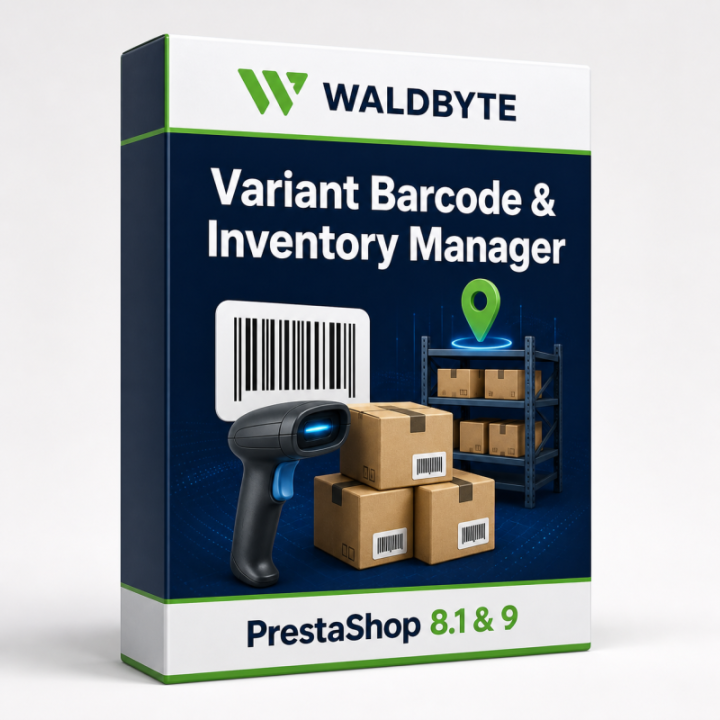
The Variant Barcode & Inventory Manager adds professional workflows for exact product variants to PrestaShop. Manage SKU, EAN, UPC and barcodes centrally, assign warehouse locations, book stock with a scanner, run inventory counts, and verify orders during picking and packing.
PrestaShop's native combinations and StockAvailable remain authoritative. The module adds operational Back Office capabilities without replacing the cart, checkout, shipping logic, or PrestaShop's native stock lifecycle.
| Product | Variant Barcode & Inventory Manager |
|---|---|
| Module version | 1.2.0 |
| PrestaShop 8 | from 8.1.x |
| PrestaShop 9 | supported |
| PHP | from 8.1 |
| Price | €99.00 – current price and tax information in the add-on shop |
| Purchase | Buy directly from the Waldbyte Add-on Shop |
| Licence & support | The current scope is stated on the product page in the add-on shop. |
The module is designed for PrestaShop merchants who sell products with combinations such as size, colour, material, or configuration and need to identify every exact variant reliably.
PrestaShop represents product variants as native combinations. In day-to-day warehouse work, central tools for unique variant identification, location management, scanner bookings, counts, label printing, and dispatch verification are often missing. This can lead to confused variants, missing or duplicate identifiers, stock corrections without a useful history, unclear locations, and unsafe spreadsheet imports.
Variants & identity
Every purchasable combination is managed through its native product_attribute_id and a deterministic variant key. Products without combinations are supported as base variants.
SKU · EAN · UPC
Maintain or generate references, validate EAN-8, EAN-13 and UPC-A, detect duplicates, and lock individual identifiers against unintended changes.
Barcodes
CODE 128, CODE 39, EAN-13, EAN-8, UPC-A and QR codes are generated locally as SVG. Product data is never sent to an external barcode service.
Scanner
Find variants by SKU, EAN, UPC, or barcode, book incoming goods, remove stock, and record references such as an order, delivery note, or comment.
Inventory counts
Create count sessions with a stock snapshot, scan variants, review expected and counted quantities, and apply all differences exactly once.
Labels
Configure A4 and thermal 50 × 30 mm layouts or custom dimensions, grids, and visible fields, then print directly from the browser.
CSV
Files are fully validated before any change. Only an error-free batch can be applied explicitly, while exports neutralise spreadsheet formula-like values.
Dispatch control
Scan order variants, reject the wrong items, prevent over-picking, and verify every item again during packing.
The barcode source can be the SKU, EAN, UPC, or a manually entered value. Manual barcode values are protected and are not overwritten by automatic synchronisation. Supported formats are CODE 128, CODE 39, EAN-13, EAN-8, UPC-A, and QR code.
Product boundary: Each variant currently has one warehouse record and one native PrestaShop total quantity. Separate quantities for the same variant across several warehouses are not maintained.
Standard scanners that send a code as keyboard input followed by Enter require no special driver. Unknown or ambiguous identifiers are rejected, negative manual quantities are prevented, and every booking is stored in the movement history. Critical changes lock both the module record and the native PrestaShop stock record while being processed.
The module includes an A4 standard template and a 50 × 30 mm thermal template. Width, height, columns, and rows are configurable. Product name, variant options, SKU, EAN, UPC, price, and warehouse location can be printed optionally. Preview and print output run through the browser.
The export includes exact variant identity, identifiers, stock, and warehouse location data. Import is a two-stage process: first upload and fully validate the file, then explicitly apply an error-free batch.
Checks cover file type and the 5 MB size limit, column names, duplicate headers, variant existence and identity, duplicate variants in a batch, identifier conflicts, check digits, locked identifiers, quantities, minimum stock, warehouse existence, barcode format, and allowed characters. Formula-like export values are neutralised.
A session is started or resumed using the PrestaShop order reference. The module imports the required quantities of exact variants from order lines, rejects incorrect scans, and prevents over-picking. Once picking is complete, the packing check starts automatically. The module does not deduct stock a second time.
The dashboard shows managed variants, missing barcodes, low stock, missing locations, negative native quantities, identifier conflicts, and today's movements. Identifier, lock, location, and stock changes are logged with employee, source, reference text, and timestamp.
The module quantity is an operational mirror. The quantity visible in the store and used for orders remains in PrestaShop's StockAvailable. Changes initiated by the module use the native PrestaShop API. Checkout, order status, product administration, and other compatible changes are mirrored back through PrestaShop hooks.
Hooks used:
actionUpdateQuantityactionProductAdd, actionProductUpdate, and actionProductDeleteactionProductAttributeUpdate and actionProductAttributeDeleteactionValidateOrderactionOrderStatusPostUpdateThe module does not replace the cart, change carrier selection, add a second order stock deduction, or require a visible storefront component.
The module does not create customer accounts, process payment data, or send module or product data to Waldbyte or any other external service.
| PrestaShop 8 | from version 8.1.x |
|---|---|
| PrestaShop 9 | supported |
| PHP | from version 8.1 |
| Database | MySQL or a compatible database supported by the installed PrestaShop version |
| Browser | Modern browser with JavaScript enabled |
| Scanner | Keyboard-compatible USB or Bluetooth scanner recommended |
A complete database backup is recommended before installation and before large imports.
The module includes versioned upgrade scripts. Module tables remain in place by default when the module is uninstalled so that count, audit, and movement data are not deleted accidentally. Full removal can be enabled explicitly in the settings.
The module creates 13 tables with the pvm_ prefix:
pvm_variant_meta, pvm_warehouse, pvm_stock_movement, pvm_auditpvm_count_session, pvm_count_itempvm_import_batch, pvm_import_rowpvm_label_template, pvm_option_codepvm_pick_session, pvm_pick_item, pvm_sequence
The Variant Barcode & Inventory Manager is not an ERP, shipping carrier integration, or full warehouse-management system. The current version does not provide parallel per-warehouse quantities for the same variant, a native mobile app, or direct hardware control for specialist scanners or label printers.
The browser handles print output. Printer, paper size, scaling, and margins must be configured and tested once at each workstation.
No. StockAvailable remains the authoritative stock source. The module adds scanner, barcode, location, inventory count, and verification workflows.
Yes. A product without combinations is managed as a base variant.
No. PrestaShop continues to process the order. The module's order hooks mark matching movements but do not trigger a second deduction.
Yes. Native values are imported during synchronisation and can be validated, edited, or locked in the module.
No. All supported barcodes are generated locally as SVG.
Scanners that send the scanned code as keyboard input usually work without additional integration. The scanner should be able to send Enter after the code.
Several warehouses and locations can be created. A variant is currently assigned to one location and uses one native PrestaShop total quantity. Separate quantities for the same variant across several warehouses are not maintained.
Yes. Width, height, columns, rows, and visible information fields are configurable.
No. The import is validated first. Only a completely valid batch can then be applied.
It is retained by default. Full deletion must be enabled explicitly in the module settings.
No. The module is designed for the Back Office and does not output visible storefront content by default.
Reduce variant mix-ups, speed up warehouse bookings, and verify orders before dispatch with unique barcodes and traceable workflows.
Buy Variant Barcode & Inventory Manager
WALDBYTE
Reduce variant mix-ups, speed up warehouse bookings, and verify orders before dispatch with unique barcodes and traceable workflows.
Select the services you need. Waldbyte will review your details and prepare an individual, non-binding cost estimate.