PrestaShop · advprodcustom · v4.9.2
Advanced Product Configurator: Documentation
Sell personalized and made-to-order products without creating endless combinations. Add required custom fields, paid options, single- or multi-choice option sets, add-on products, live pricing, and a guided preview directly to PrestaShop product pages.
Documentation, compatibility and installation
Documentation status: 11 August 2026. Details are based on the current package and installed module code. Always use a backup and staging test before an update.
Version and compatibility
| Module name | advprodcustom |
|---|---|
| Current version | 4.9.2 |
| PrestaShop | PrestaShop 1.7.0–1.7.8, 8.x and 9.0–9.1 |
| PHP | PS 1.7: PHP 7.0–7.4; PS 8: PHP 7.2.5–8.4; PS 9: PHP 8.1–8.4 – depending on the exact release |
Screenshots and live demo
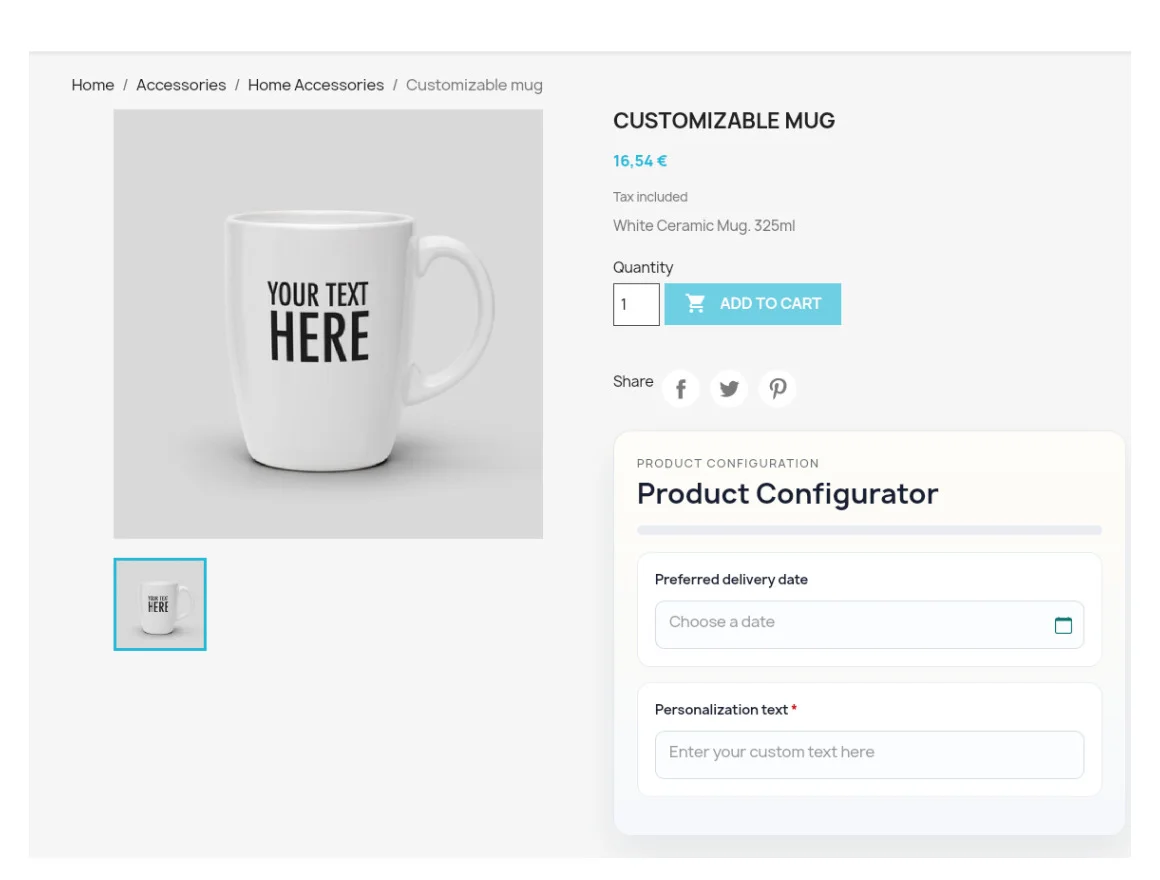
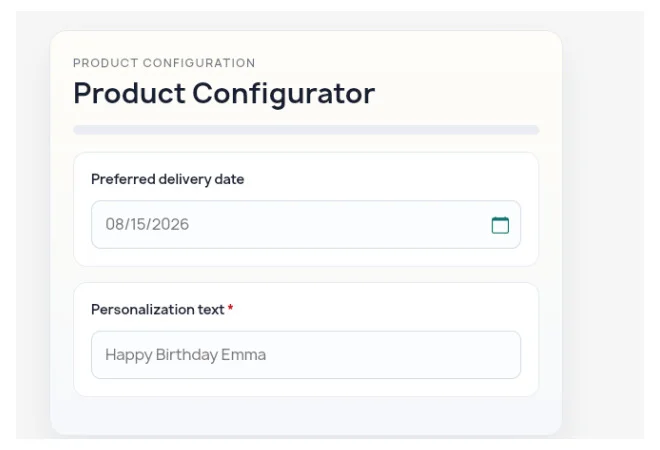
Open the public front-end demo
Sell products that combinations cannot model cleanly
Standard combinations are a poor fit when customers must enter a name or message, select a date, pay for extras, choose one option from a set, select several upgrades, or add a related catalog product. They create duplicate products, complicated attribute trees, and incomplete orders.
Advanced Product Configurator & Add-ons solves this by placing a structured configuration flow directly on each product page. Required inputs and validation reduce missing information, price impacts update the customization total, and every selection follows the configured product into the cart and order.
What the module adds
- Product-specific single-line text, textarea, date, and checkbox fields.
- Required fields, placeholders, field order, character limits, and text validation rules.
- Fixed price impacts for personalization fields and reusable global options.
- Reusable option sets with single-choice radio buttons or multi-choice checkboxes.
- Assignment of global options or option sets to all products or selected products.
- Existing catalog products as selectable add-ons, including one optional shop-wide add-on.
- Stock guard that prevents out-of-stock child products from being assigned.
- Live configuration summary and customization-price total.
- Optional guided steps with progress bar, configurable colors, and three preview layouts.
- Required-field validation and a product-listing guard against incomplete quick add-to-cart.
- Configuration values in cart, customer order details, and Back Office order views.
- PrestaShop native customization records for the configured parent product.
Compatibility and current status
- PrestaShop 1.7.0–1.7.8: supported with PHP 7.0–7.4, subject to the PHP range supported by the exact PrestaShop release.
- PrestaShop 8.x: supported with PHP 7.2.5–8.4, subject to the exact 8.x release. The public demo runs on PrestaShop 8.2.3.
- PrestaShop 9.0–9.1: supported with PHP 8.1–8.4.
PrestaShop 8 and 9 status: both current major versions are supported by module version 4.9.2. Back up files and database and test on staging before any production installation or upgrade, especially with custom themes or checkout modules.
Multistore and multilingual status
Multistore: limited compatibility. The module can run in a multistore installation, but its custom fields, options, option sets, and product assignments are stored by product ID and are not isolated per shop. Use it only when the same configurator data may be shared across shops; independent per-shop configurations are not currently supported.
Multilingual: partial compatibility. Module interface strings and bundled PDF documentation are supplied in English, German, Spanish, French, Italian, and Polish. Merchant-created field, option, and option-set labels use one shared value rather than a separate translation per shop language.
Screenshots and live demo
The product gallery contains real storefront screenshots of the module on the Classic theme.
Open the live PrestaShop demo. HTTP login: admin / admin.
Installation and configuration
- Back up the shop files and database.
- In Back Office, open Modules > Module Manager > Upload a module and upload advprodcustom.zip.
- Install the module, then open its configuration page.
- Choose preview, guided-step, layout, color, and display settings.
- Create reusable options and single- or multi-choice option sets.
- Assign those options to all products or selected products.
- Open a product, enable the configurator, and add its custom fields.
- Set required status, placeholder, validation, character limit, and price impact.
- Assign optional catalog products as add-ons if needed.
- Test the product page, price, cart, checkout, and order views before going live.
Six PDF user guides are included inside the module and can also be downloaded from its Back Office documentation tab.
Version and changelog
Current version: 4.9.2
- 4.9.2: reusable single- and multi-choice option sets, option-set product assignment, repeat-safe schema migrations and hook registration, safer price resolution, and refined Back Office/storefront presentation.
- 4.9.1: maintenance update for schema upgrades and required-hook registration.
- 4.9.0: reusable priced options, catalog-product add-ons, validation, guided steps, live preview, and cart/order transfer.
A detailed CHANGELOG.md is included in the download.
License, support, and updates
- Included licenses: one production PrestaShop installation.
- License type: simple, non-exclusive, non-transferable usage right. Redistribution, resale, sublicensing, or sharing the module files is not allowed.
- Included support: help with download access, installation/configuration questions, and investigation of reproducible module defects in a listed standard environment.
- Not included: installation as a service, custom development, theme adaptation, third-party module conflicts, data migration, or integration into a bespoke setup. These can be quoted separately.
- Updates and renewal: the current 4.9.2 package is included. The current terms promise no fixed period of free future updates. There is no subscription or automatic renewal; later paid upgrades may be offered separately.
Data and external services
The module has no telemetry, license-server call, advertising tracker, cloud dependency, or other external API request.
It stores its settings, product assignments, customer-entered configuration values, selected option/add-on IDs, price impacts, and related cart/order IDs in the shop database and in PrestaShop native customization/order records. Depending on the fields a merchant creates, customer entries may contain personal data; the merchant remains responsible for privacy information and retention rules.
Uninstalling the module deletes its own configuration and database tables, including module-specific cart and order configuration records. Export or back up data that must be retained before uninstalling.
Troubleshooting
- Required fields are not validated: clear the PrestaShop cache, verify module hooks and confirm that the theme does not bypass the normal product and cart flow.
- A price surcharge is incorrect: isolate currency, tax context, combination and third-party pricing modules in staging.
- Configuration data is missing from the order: confirm that the configured parent product was added through the normal product-page flow.
For any error, preserve PrestaShop and PHP logs, document the exact steps and reproduce the behaviour without cache in staging.
Related pages
WALDBYTE
Support for this PrestaShop module
Send the module version, PrestaShop version, PHP version and reproducible error details. Do not include credentials in the first message.
Select the services you need. Waldbyte will review your details and prepare an individual, non-binding cost estimate.