Upgrade PrestaShop 1.7 to 9.1 safely with the Update Assistant
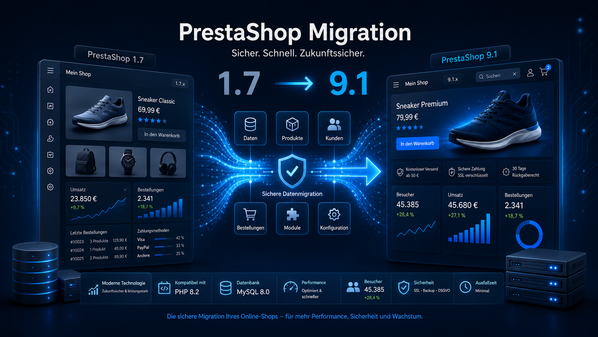
Your PrestaShop 1.7 shop is still running reliably – but modules are no longer maintained, current PHP versions can hardly be used, and security or performance issues are increasing? Then switching to PrestaShop 9.1 is not just a technical update, but a strategic investment in the future operation of your online shop.
Already planning the version change? The PrestaShop update service explains how Waldbyte structures version analysis, compatibility review, staging, testing, and a controlled go-live.
PrestaShop 9.1 is based on a significantly more modern technical foundation. The version supports PHP 8.1 through PHP 8.5 and ships Hummingbird 2.0 as the default theme for new installations. At the same time, the jump from PrestaShop 1.7 to 9.1 can affect existing modules, themes, overrides, interfaces, and database structures.
That is exactly why the change should not be treated as an uncritical “one-click update.” The official PrestaShop Update Assistant can handle many technical work steps. However, without experience in PHP, databases, server configuration, and PrestaShop architecture, errors can occur that affect checkout, orders, or the entire shop operation.
In this article, you will learn how to prepare a PrestaShop migration to version 9.1, which tasks the Update Assistant handles, and when professional support is the safer and more economical decision.
How to upgrade PrestaShop safely
A safe PrestaShop upgrade starts with the current shop, not with the update button. For a large jump such as PrestaShop 1.7 to 9.1, treat the work as a migration project even when the Update Assistant performs part of the technical process.
- Inventory the PrestaShop, PHP, database, theme, modules, overrides, integrations, and cron jobs.
- Build a separate staging environment and verify that backups can be restored.
- Check module, theme, server, and PHP compatibility with the intended target version.
- Run and document a test upgrade before changing the production shop.
- Test the storefront, back office, products, customers, orders, checkout, payments, shipping, email, and integrations.
- Plan the final data synchronization, maintenance window, go-live checks, monitoring, and rollback path.
Version note: PrestaShop 9.1.0 was released on March 23, 2026. As of July 17, 2026, PrestaShop 9.1.4 is the current released maintenance version of the 9.1 series. For a production project, the currently recommended stable patch version should always be used.
Why migrating from PrestaShop 1.7 to 9.1 is important
An older shop does not automatically remain secure simply because it appears to work in day-to-day operations. In the background, the technical dependency on outdated PHP versions, old modules, and individual customizations that are no longer compatible with current standards often grows.
PrestaShop 1.7.8 had already been in an extended support phase only since 2023. For store owners and IT managers, this increases the risk that security vulnerabilities, hosting changes, or necessary module updates will become increasingly difficult to manage.
A planned e-commerce upgrade creates a better foundation for:
- up-to-date security and maintenance processes,
- modern hosting and PHP environments,
- extensions that are easier to maintain,
- new payment, shipping, and marketing integrations,
- performance optimization,
- future PrestaShop updates.
You can find more about the structured transfer of shop data, URLs, and processes in the Waldbyte article Planning a PrestaShop migration properly.
Modern PHP compatibility
PrestaShop 9.1 supports PHP 8.1, 8.2, 8.3, 8.4, and 8.5. PHP 8.5 is recommended in the current system documentation.
In addition, PrestaShop 9 requires a modern database and server environment. The documentation lists MySQL 5.7 or MariaDB 10.2, among others, as minimum values. At least 512 MB is recommended for the PHP memory_limit.
However, this does not mean that you should simply switch the live shop to the latest PHP version. Your theme, modules, Composer packages, and external libraries must also support the same PHP version.
Therefore, check the following before the migration:
- current and planned PHP version,
- required PHP extensions,
- memory_limit and max_execution_time,
- database version and character set,
- available disk space,
- file and directory permissions,
- web server, cache, and Redis configuration,
- compatibility of all business-critical modules.
A comprehensive PHP compatibility check is therefore one of the most important preparation steps.
A better basis for performance optimization
The more modern codebase can create the technical basis for faster processes, better maintainability, and more efficient development workflows. However, actual shop speed still depends on hosting, database, theme, images, cache, modules, and external scripts.
Measure at least the following before and after the migration:
- Core Web Vitals,
- loading time of category and product pages,
- response time in checkout,
- database and server load,
- cache hit rate,
- mobile performance,
- impact of external tracking and marketing scripts.
If needed, a technical performance and SEO analysis can show which bottlenecks have the greatest economic leverage after the migration.
Hummingbird 2.0 does not automatically replace your existing theme
Hummingbird 2.0 is the default frontend theme for new PrestaShop 9.1 installations. It was developed with a focus on modern frontend architecture, performance, and accessibility.
For an existing shop, however, the current theme is not automatically replaced by Hummingbird. Switching to Hummingbird 2.0 is a separate subproject.
Among other things, the following areas need to be reassessed:
- design and brand presence,
- templates and theme overrides,
- hooks and module positions,
- JavaScript dependencies,
- structured data,
- checkout,
- mobile display,
- accessibility,
SEO metadata.
Update or migration: which is right for 1.7 to 9.1?
PrestaShop distinguishes between an update and a migration:
- An update normally stays within the same major version, for example from 9.0 to 9.1.
- A migration switches to a new major version and transfers data as well as business processes into a more modern target environment.
The official documentation recommends a migration especially when switching to a new major version, as larger core changes and incompatibilities with existing themes and modules can occur.
The jump from PrestaShop 1.7 to 9.1 spans several major versions. The project should therefore be planned organizationally and technically as a PrestaShop migration – even if the Update Assistant is used for parts of the process.
A professional migration takes into account not only the PrestaShop core, but also:
- products, variants, categories, and images,
- customers, addresses, and order history,
- modules and module-specific data,
- theme and template overrides,
- payment and shipping processes,
- ERP, PIM, CRM, and marketplace interfaces,
- cron jobs, APIs, and webhooks,
- tracking, consent management, and analytics,
- SEO URLs, redirects, and metadata,
testing, go-live, and rollback.
What is the PrestaShop Update Assistant?
The Update Assistant is the official PrestaShop module for updates, backups, and restorations. It was formerly known as “1-Click Upgrade” and “Autoupgrade.” The technical module name remains autoupgrade.
The module can be used in two ways:
- via a guided interface in the PrestaShop back office,
- via a command-line interface for developers and automated deployments.
The update process in the back office consists of five steps:
- Select target version
- Configure update options
- Create backup
- Perform update
- Complete post-update check
The current stable module series supports PrestaShop 1.7 and newer versions. For PrestaShop 9.1, the Update Assistant was enhanced, among other things, with an extended module compatibility check, clearer warnings, and improved error reports.
Which tasks does the Update Assistant handle?
The Update Assistant can, among other things:
- display available target versions,
- check system requirements,
- assess known module compatibilities,
- back up shop files and the database,
- update core files,
- execute database changes,
- provide update and error logs,
- restore a backup created by the module.
In addition to the latest available version, the module also displays a version recommended by PrestaShop. This recommendation is based, among other things, on your current shop version and the server’s PHP version.
What can the command-line interface do?
The CLI provides commands developers can use to:
- check new PrestaShop versions,
- verify system requirements,
Compatibility review: a documented decision instead of a one-click update
Before changing versions, we document more than whether the PrestaShop core can be updated. The shop, modules, theme, overrides, integrations, and operating environment must work together on the target platform. This review matrix shows the minimum structure of a reliable assessment:
| Review area | Document | Outcome |
|---|---|---|
| Core and server | PrestaShop, PHP and database versions, PHP extensions, memory, cron jobs, and cache | Approved target environment or a clearly identified infrastructure blocker |
| Modules | Version, vendor status, licence, PHP and target-version compatibility, and data migrations | Update, replace, adapt, or remove |
| Theme and overrides | Custom theme, template changes, hooks, overrides, JavaScript, and checkout customisations | Retain, adapt, or plan as a separate frontend workstream |
| Integrations | Payment, shipping, ERP, PIM, CRM, marketplaces, webhooks, and planned failure cases | An owned test case with expected input and output |
| Data and SEO | Products, variants, customers, orders, URLs, redirects, canonicals, and structured data | Agreed mapping, checksums, and acceptance criteria |
The official PrestaShop Update Assistant provides separate review, backup, update, and restore steps. A complete backup covers files and the database, as described in the official PrestaShop documentation.
Staging and acceptance checklist for the version change
- Freeze the baseline: Record the core, modules, theme, overrides, PHP, database, and integrations with exact versions.
- Test restoration: Back up files and the database and prove restoration away from the live shop.
- Update staging: Install the target and planned module versions only in a separate environment.
- Verify business processes: Test login, search, variants, prices, vouchers, checkout, payment, shipping, email, and refunds against defined cases.
- Check integrations: Run imports, exports, webhooks, cron jobs, and retry logic with test data.
- Compare SEO output: Crawl status codes, URLs, canonicals, hreflang, structured data, sitemap, internal links, and key metadata before and after the update.
- Control go-live: Record the maintenance window, data reconciliation, owners, monitoring, and rollback decision.
Example structure of an anonymised assessment report
This is a disclosed working template, not an invented client case study. A real report records the baseline, target, evidence, owner, and approval status for each check. Blockers may read “payment module not approved for the target version”, “theme override conflicts with the changed checkout template”, or “ERP test case for partial cancellation is missing”. A go-live date is approved only after critical items are resolved or accepted with a reliable fallback plan.